



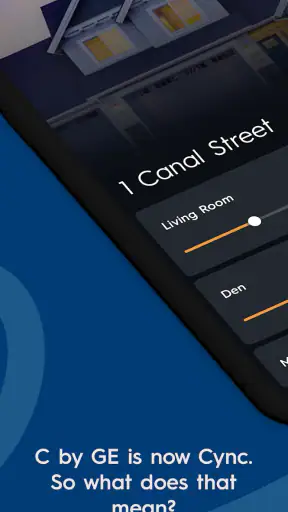
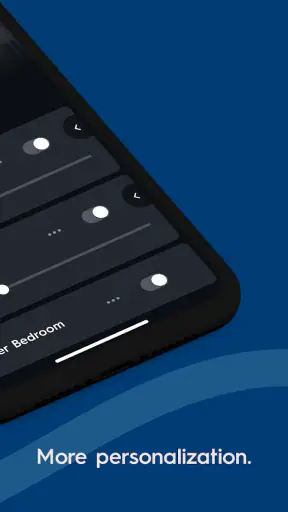
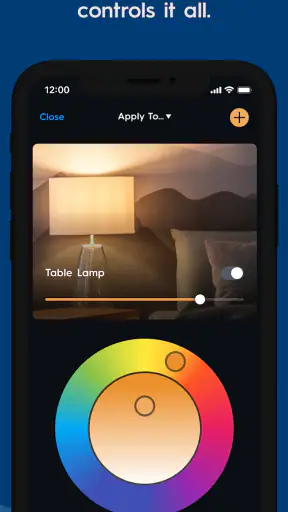
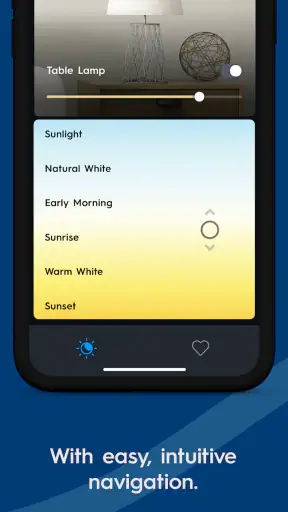
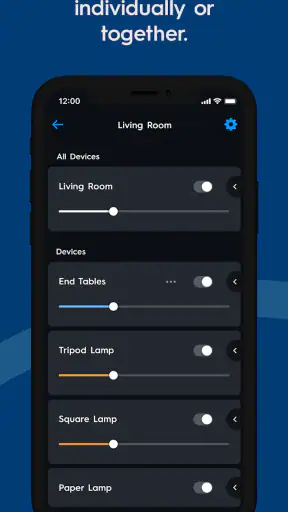
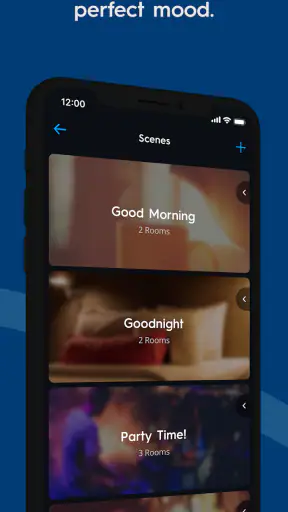
I found Cync most useful when I treated it as the control center for compatible Cync and C by GE products rather than as a general smart-home dashboard. It is a free lifestyle app from Savant Systems, Inc., designed to bring those devices into one place on Android and iOS. The basic idea is easy to understand: connect the app to your home products, then use the phone as a more convenient way to manage them.
That simplicity is appealing, but the first few minutes can be less smooth than the store summary suggests. Smart-home apps depend on several things working together: the phone, the home network, the device, and the account or setup process. When one part is out of step, it is tempting to blame the app immediately. In my experience, Cync is easier to judge fairly when setup is approached as a short checklist instead of a single tap.
After spending time with it, I would recommend Cync to someone who already owns compatible Cync or C by GE equipment and wants a dedicated way to manage it. I would not choose it simply because I wanted a universal controller for products from many unrelated brands. Its value is strongest inside its own product family.
Where the experience usually gets stuck
The most common frustration is not the main control screen itself. It is the handoff between installing the app and getting a device recognized. A product may be powered, the phone may be online, and yet the pairing flow can still feel as though it has stalled. This is where patience matters: repeatedly tapping through the same screen rarely fixes a connection that has not completed its first exchange.
I recommend beginning with one device rather than trying to add an entire room at once. A single successful setup tells you whether the account, phone, network, and product are communicating correctly. Once that foundation works, adding another device becomes much easier to diagnose. If several products fail in exactly the same way, the problem is probably shared setup conditions rather than every individual product failing at once.
Another source of confusion is the difference between a device being powered and a device being ready to pair. A lamp can turn on normally while still needing its own setup state. If the product has already been used elsewhere, I would follow its reset or pairing instructions before repeating the app process. Starting from a known state is often faster than trying to force a previously configured product into a new setup.
The useful mindset is to separate discovery, pairing, and everyday control. Discovery is the moment the app finds the product. Pairing is the process of associating it with the home and account. Everyday control begins only after those steps are complete. A problem during discovery should not be judged by how well the normal control screen works, because you have not reached that stage yet.
What I check before blaming the app
I first make sure the phone is connected to the home network I actually intend to use. Switching between a home connection and mobile data during setup can make the process look inconsistent. I also keep the phone close to the product, avoid moving between rooms, and leave the app open while the connection is being established. These are simple habits, but they remove several avoidable variables.
I then check the basics on the product side: power, physical switches, and whether the device is showing the expected pairing behavior. If a light is controlled by a wall switch, for example, the switch must remain on for app control to work. A phone cannot correct a product that has been physically disconnected from power.
It is also worth confirming that the app is current on the phone and that the device is supported by the particular Cync or C by GE setup you own. Compatibility is not something I would assume from appearance alone. Products from the same broad smart-lighting space can still use different setup paths, so I would follow the instructions intended for the exact product rather than improvising from another model.
Cync supports a minimum operating system of 8.1, which makes it accessible to older compatible devices as well as newer phones. Even so, an operating system that meets the minimum is not automatically the most comfortable environment. If the phone is old, short on storage, or struggling with other apps, I would test the setup on a well-functioning device before concluding that the product or service is defective.
A calmer setup workflow
My preferred workflow is deliberately boring. I install or update Cync, open it with the phone connected to the intended home network, and prepare only one product. I keep the product powered, place the phone nearby, and complete the instructions without switching to other apps. If the process asks me to wait, I give it time instead of restarting immediately.
If the first attempt fails, I do not change five things at once. I close and reopen the app, check the product’s power and pairing state, and try again. If that still fails, I restart the phone or network connection before repeating the setup. Changing one condition at a time makes it possible to learn what helped.
There is a practical reason to add products room by room. It creates a useful mental map inside the app and makes later troubleshooting less confusing. If one device stops responding, I can compare it with another product that still works instead of wondering whether the whole home has lost access. Naming and organizing products clearly is not glamorous, but it pays off once several similar devices are installed.
I would also avoid setting up a device while standing at the edge of network coverage. A product that pairs successfully but sits in a weak location may appear unreliable later. Testing it in a sensible position before permanently installing it helps distinguish a setup problem from a location problem.
Recovering a workflow when control stops responding
Once a device has been added, the troubleshooting process changes. I first check whether the issue affects one product or everything in the app. One unresponsive light points toward that product, its power, or its local connection. Several products failing together points more toward the phone, home network, account session, or a broader service interruption.
For one product, I check the physical switch and power source before touching the app. I then close and reopen Cync and try the control again. If the product responds physically but not through the phone, I look for a connection issue. If it does not respond physically either, the app is unlikely to be the main cause.
For a wider failure, I check whether the phone itself can use other internet-connected services. That does not prove everything is fine, but it quickly separates a general phone or network problem from an issue limited to Cync. I also verify that the phone has not silently moved to a different connection, especially after leaving home and returning.
A useful recovery habit is to avoid removing a device too quickly. Deleting and re-adding can create extra work, particularly when the original problem was temporary network loss. I try a fresh app session and a basic network check first. Re-pairing becomes a later step, used when the product clearly needs to be returned to a clean setup state.
When re-pairing is necessary, I record the room and device name before resetting anything. This small precaution prevents the annoying situation where several identical products become difficult to identify afterward. I also finish one re-pairing completely before starting another. Doing multiple resets together makes it much harder to know which product the app is currently trying to find.
Everyday use beyond the first successful connection
The real test is not whether Cync can add a product once. It is whether the app fits naturally into a routine. I can imagine using it before bed to check a room, after arriving home to adjust a connected light, or while standing in a room where reaching the physical control is inconvenient. The benefit is small but practical: the phone becomes a consistent place to manage the compatible products I already own.
That convenience depends on keeping the physical setup sensible. If a household member regularly turns off a wall switch, app control may appear unreliable even though the app is behaving normally. I would explain that the switch is the power gate and leave it on when remote control is expected. This is one of those household details that matters more than a polished interface.
I also prefer clear names that describe location and purpose rather than appearance. “Desk lamp” is more useful than “white light two” when several products look alike. This becomes particularly important for someone controlling devices while tired or in a hurry. Good organization reduces mistakes and makes the app feel faster, even when the underlying connection speed has not changed.
For families or shared homes, I would decide in advance who is responsible for setup and naming. A device that seems missing may simply be filed under an unexpected room or label. Agreeing on a simple naming pattern prevents duplicate entries and makes handoffs less frustrating. This is not a special feature claim; it is a practical way to get more from a dedicated control app.
When the app is not the cause
Smart-home problems often look like software problems because the phone is where the error becomes visible. In reality, the cause may be a switched-off product, a weak network position, a changed router setup, or a device that has lost its pairing state. Cync can only send a command to a product that is powered and reachable.
Network changes deserve special attention. Replacing a router, changing the home network, or altering its configuration can affect devices that previously worked without any issue. If the phone is online but a product is not, I compare the current home setup with the setup that existed when the product was first added. That comparison is often more productive than repeatedly reinstalling the app.
There is also a difference between a temporary failure and a broken configuration. If control returns after reopening the app or restoring the network, I would not immediately erase the device. If the same product repeatedly disappears or refuses to reconnect while other products remain stable, then a clean re-pairing becomes more reasonable.
This is where Cync differs from a universal smart-home platform. A broad platform may be more convenient if your home mixes many brands and you want one place for everything. Cync is more focused: that can reduce clutter when your products belong to its ecosystem, but it can also mean keeping another app for unrelated devices. I would choose the dedicated route when reliable access to compatible Cync equipment matters more than having every brand under one roof.
Who should use it and who should skip it
Cync is a good fit for someone buying or already using Cync and C by GE products, especially if that person wants a straightforward phone-based control point instead of relying only on physical switches. It also suits a household that values room organization and wants a repeatable way to check connected products from a familiar app.
I would be more cautious about recommending it to someone who expects every smart-home brand to appear in one application. The dedicated focus is a strength inside the supported ecosystem, not a promise of universal compatibility. If your home is built around another platform, that platform may be the better starting point.
I would also skip it as a solution for a product that is not designed for Cync or C by GE. Installing the app cannot turn an unrelated device into a compatible one. Before downloading, I would identify the exact product family and follow its intended setup route.
The app is free and rated for Everyone, so there is little barrier to trying it when you already own compatible equipment. Its public reception is also strong, with an average of 4.4 from around 91 thousand ratings and over 1 million installs. Those figures suggest that the app has a substantial user base, but they should not replace checking your own product compatibility and network conditions.
My practical verdict after using the app
Cync works best when I treat it as a focused companion for compatible Cync and C by GE products, not as a magic repair tool for every smart-home problem. The interface can be useful once the first connection is established, but setup deserves a methodical approach. Starting with one product, staying on the intended network, checking physical power, and changing one troubleshooting variable at a time makes the experience much less frustrating.
The current version is 6.23.2.74-c2df446, and the app has been available since March 9, 2016. I mention that context because this is not a brand-new experiment; it is an established app that has remained part of the product experience over time. My recommendation is still conditional: use it when your equipment belongs to its ecosystem, and choose a broader alternative when your priority is mixed-brand control.
My final advice is to install Cync with one realistic task in mind, such as controlling a single room, rather than attempting a whole-home makeover immediately. If that first workflow feels dependable, expand gradually and keep names organized. If the first product cannot be discovered, focus on power, pairing state, network choice, and compatibility before assuming the app itself is at fault.
For the right household, Cync is a sensible, free control app with practical value after setup. It is not the best answer for every smart-home arrangement, but for compatible Cync and C by GE owners who want a dedicated mobile controller, I would recommend giving it a careful, one-device-at-a-time trial.


